How to Import Supplier Products to WooCommerce in 1 Click (No CSV)
Stop spending 20 minutes per product wrestling with spreadsheets, low-res images, and broken CSV mappings. Here is how to publish full supplier catalog items directly into your WooCommerce store in under 60 seconds.
Why Traditional Supplier Importing Wastes 10+ Hours Every Week
✕ Suppliers Never Provide Clean CSVs
Manufacturers like Bosch, De'Longhi, Samsung, and specialty distributors only provide web pages or messy PDF spec sheets without structured e-commerce feeds.
✕ Manual Image Grabbing Is Tedious
Right-clicking supplier photos, renaming files, filtering out thumbnail watermarks, and re-uploading each photo to WordPress takes 8 to 12 minutes per SKU.
✕ Web Scrapers Break on Cloudflare
Traditional scrapers (Octoparse, Python scripts) get instantly IP-banned or blocked by Cloudflare anti-bot verification screens on distributor portals.
The 5-Step 1-Click Importing Workflow
How GetLinkDone extracts live supplier pages, processes 2K HD photos with Vision AI, and writes complete WooCommerce products automatically.
Open Any Supplier or Manufacturer Product Page
Navigate to any distributor, wholesaler, or brand website inside Google Chrome. Whether it's a home appliance brand, electronics manufacturer, industrial supply portal, or furniture supplier, GetLinkDone requires zero custom code or prior field mapping.
- Works on any public or password-protected supplier catalog
- Captures authenticated portal pages behind distributor logins
- No CSV, XML, or spreadsheet file needed
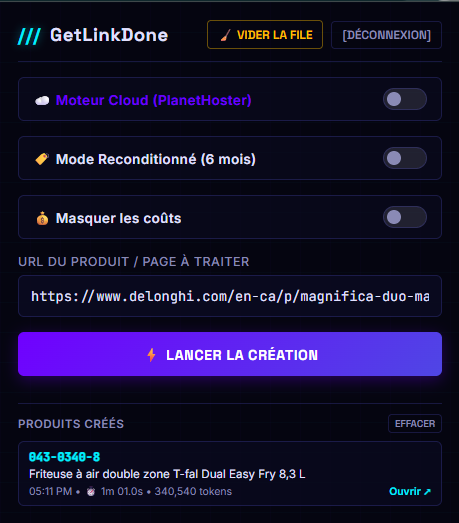
Click GetLinkDone 1-Click Extractor
Activate the GetLinkDone Chrome extension from your browser toolbar. The extension reads the rendered DOM directly from your active browser session, instantly sidestepping Cloudflare screens and scraper blocks.
- Bypasses Cloudflare, DataDome, and anti-bot obstacles
- Extracts raw titles, SKUs, brand names, and spec tables
- Parses JavaScript-rendered accordions and tabs
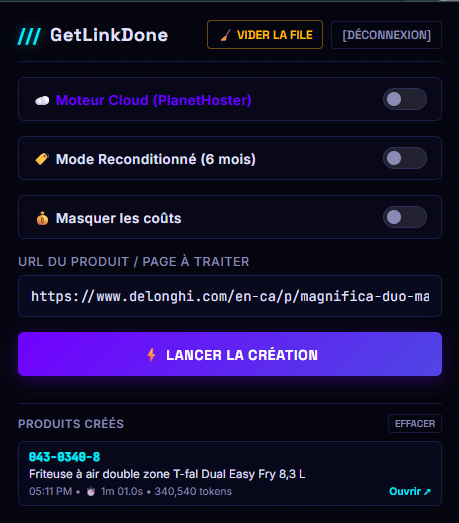
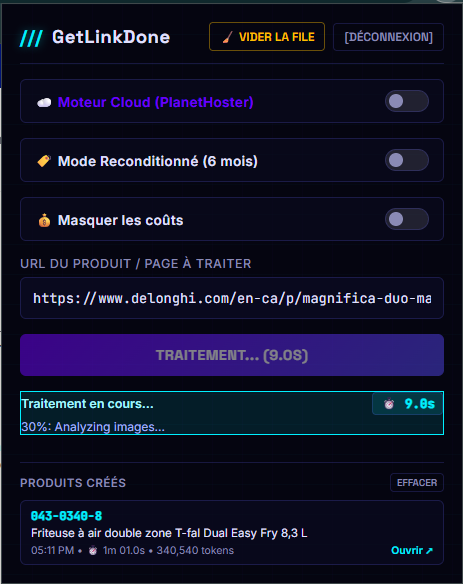
Vision AI Curates 2K High-Definition Images
GetLinkDone sends candidate supplier images through Google Gemini Vision AI. The AI evaluates resolution, removes supplier logos and thumbnail watermarks, selects the top 6 product photos, and renames them with SEO-optimized filenames.
- Filters out badges, icons, shipping stickers, and watermarks
- Uploads directly via multipart REST to WordPress media library (~1.1s/photo)
- No hotlinking: images are hosted permanently on your domain
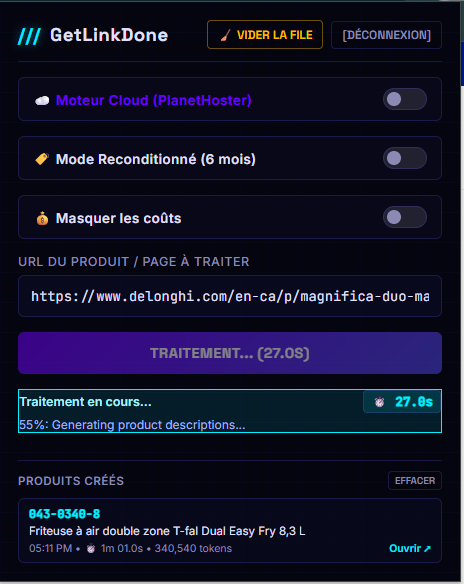
Generate Bilingual SEO Copy & Structured Specifications
Our multi-threaded AI pipeline instantly writes optimized product content tailored for high search rankings and high checkout conversions. You get human-grade descriptions and structured specification tables without manual typing.
- Persuasive short & long marketing descriptions (French & English)
- Hierarchical NCM technical attribute tables for WooCommerce filters
- Yoast SEO & RankMath focus keywords, titles, and meta descriptions
- 1-Click Refurbished / Open-Box Mode with warranty badge integration
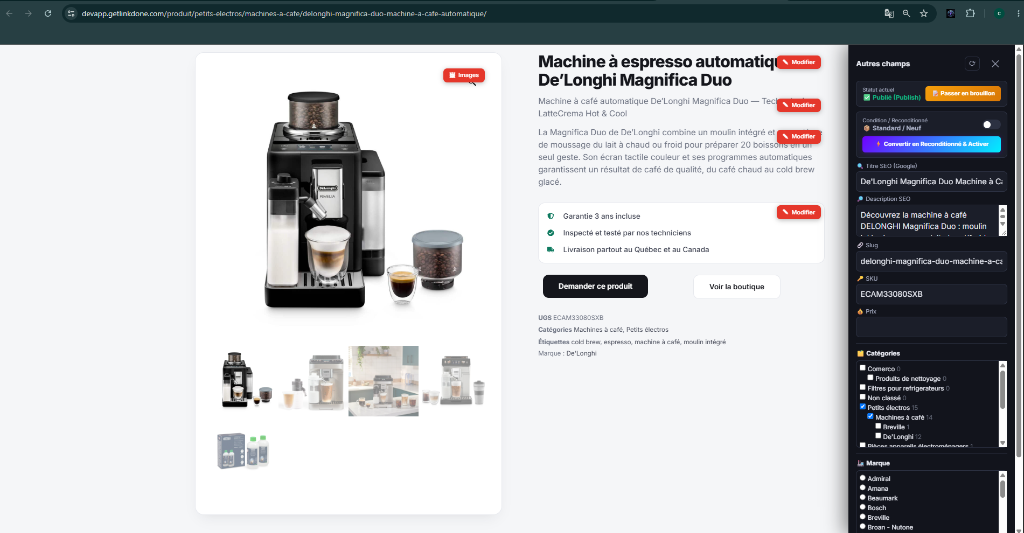
Publish Live to WooCommerce in Under 60 Seconds
Review the generated product in the live extension preview or click Publish immediately. GetLinkDone transmits the product, structured attributes, SEO metadata, and gallery directly to your WooCommerce store via REST API.
- Instant live product URL generated
- Front-end in-page [Edit] & AI Regenerate button enabled
- Automated SKU deduplication prevents duplicate listings
Need to Import 50+ Supplier Products at Once?
Use the built-in Google Sheets Sync Engine. Paste a list of distributor URLs into your spreadsheet, click Run All Pending in the Chrome Extension, and watch GetLinkDone process every URL in the background, writing the published WooCommerce URLs back to your sheet.
Frequently Asked Questions
Everything you need to know about importing supplier products without CSV files.
Can I import supplier products to WooCommerce if the supplier doesn't provide a CSV file?
Yes. In fact, that is the primary reason GetLinkDone was created. Most distributors and manufacturers never provide standardized CSV feeds. With GetLinkDone, you simply navigate to the supplier's web page in Google Chrome and click the 1-Click Extractor. The extension captures all product specifications, high-res photos, and pricing directly from the browser view.
How long does it take to import one supplier product into WooCommerce?
The entire process—from capturing the supplier page to generating bilingual SEO descriptions, structuring technical attributes, curating 2K photos, and publishing to your WooCommerce catalog—takes less than 60 seconds.
Does GetLinkDone work on supplier websites with Cloudflare or bot protection?
Yes. Traditional server-side scrapers get blocked because their IP addresses are flagged by Cloudflare or Akamai. GetLinkDone runs inside your desktop Chrome browser, capturing the rendered DOM from your legitimate user session after the page finishes loading.
Can I import multiple supplier products at once in batch?
Yes. The extension features a built-in Google Sheets sync engine. You can paste dozens of supplier URLs or SKUs into a Google Sheet, click "Run All Pending", and GetLinkDone will queue and process each product in the background, updating the spreadsheet with the final WooCommerce product URLs.
Are product images downloaded and re-hosted on my own WordPress media library?
Yes. GetLinkDone uploads high-resolution curated photos directly into your WordPress media library using multipart REST uploads (~1.1s per image). The extension does not hotlink external supplier images, protecting your site from broken images and supplier changes.